What is an AI Agent?
If you read chapter 1 — What is Agentic AI?, you already know the big picture: systems that can loop toward a goal instead of stopping after one reply. An AI agent is the usual name for the component (or small stack) inside that system that does the day-to-day work: interpreting what you want, choosing steps, calling tools, and remembering enough context to stay coherent.
In one line: an AI agent is a smart layer that can act on your behalf—inside rules and infrastructure you own.
What an AI agent tries to do
At a high level, an agent-style design aims to:
- Understand a goal (even when humans phrase it messily).
- Think about constraints and next moves (often with an LLM).
- Take actions through tools you expose (APIs, queries, internal services).
- Move toward completing the task, then stop when success criteria or safety limits hit.
That is the difference between “nice paragraph about your problem” and “progress toward an outcome.”
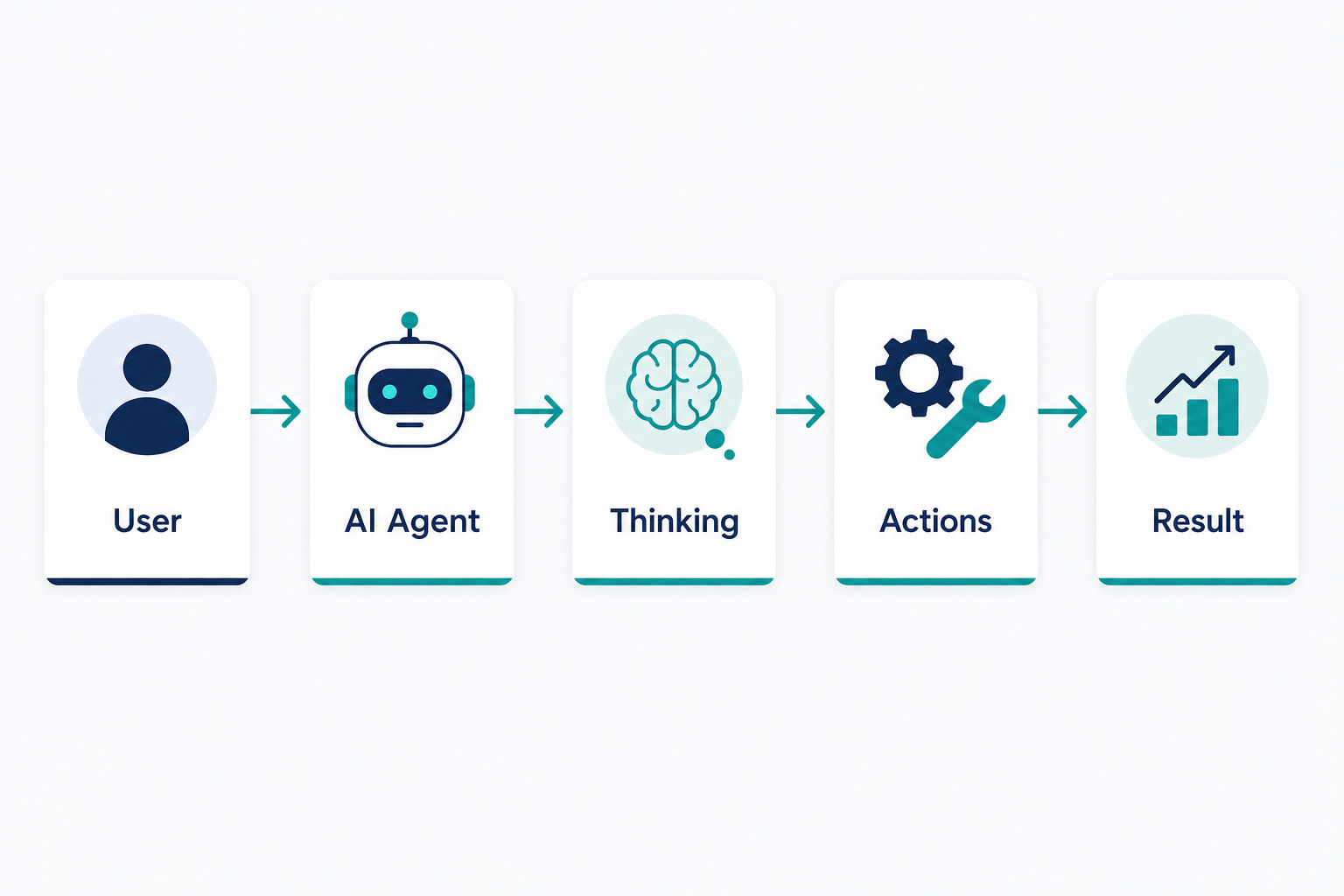
Example: “Find the best laptop under ₹50,000 and order it”
Picture this request. A chat-only assistant might list models and shopping tips. An agent-shaped setup could plan steps such as:
- Search products from sources you integrated (catalog API, approved retailers).
- Compare price and specs against the ₹50,000 cap.
- Read summaries or reviews your tools fetch (not random unchecked browsing).
- Recommend an option and, only if your policy allows, start checkout—often with payment confirmation for real money.
So it can feel like a digital employee, but in production you still define what “order” means: payment gateways, fraud checks, returns policy, and audit logs. The agent does not replace procurement rules; it executes inside them.
The core idea: agent = LLM + tools + memory + planning
This is the idea worth remembering: an AI agent is not “just” a model. In practice it is a combination of pieces:
1. LLM (language and reasoning)
The model acts like the language brain: it parses instructions, proposes steps, explains trade-offs, and formats structured outputs (for example JSON for a tool call). It is not the only part of the system—just the flexible reasoning layer.
2. Tools (ways to act)
Tools are the hands: HTTP APIs, database queries, email senders, ticket systems, search endpoints—anything your backend exposes with strict contracts. Without tools, the model can only talk; it cannot change state in your world safely.
3. Memory (what to remember)
Memory is storage you control: recent conversation turns, user preferences (“usually prefers Dell in this price band”), task state, or rows in PostgreSQL. Good memory avoids repeating questions and keeps multi-step tasks consistent—without letting sensitive data leak into the wrong places.
4. Planning (how to break work apart)
Planning is the strategy layer: splitting a goal into ordered steps, revising when a tool fails, and knowing when to ask a clarifying question. Sometimes planning is explicit (a written plan); sometimes it is implicit in the loop (try → observe → adjust).
Compact formula:
AI agent ≈ brain (LLM) + hands (tools) + notebook (memory) + roadmap (planning).
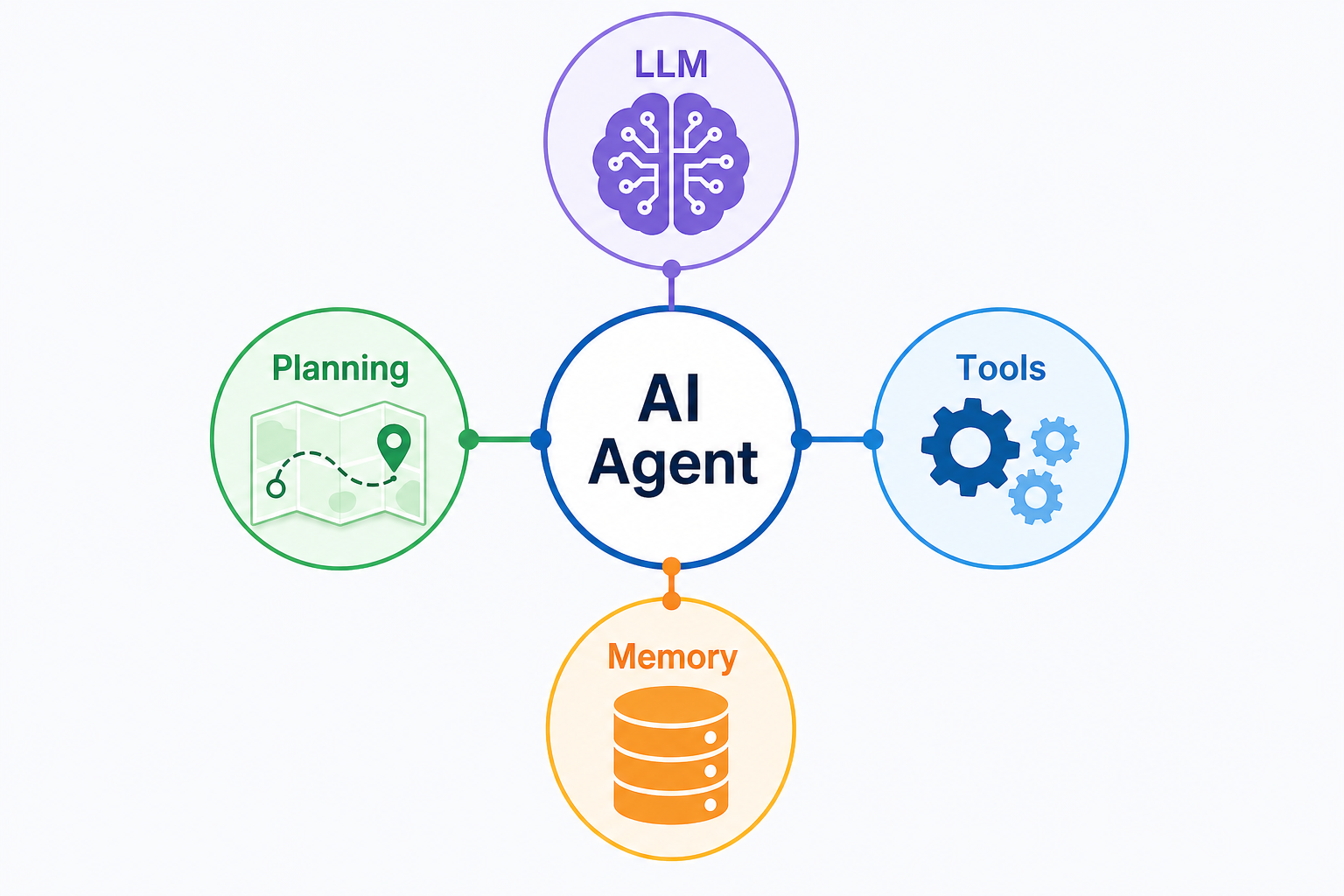
In a Spring Boot service, tools often map to @Service methods or clients you inject; memory maps to repositories and tables; planning lives in orchestration code you can unit test—not scattered across twenty controllers.
How AI agents make decisions (usually)
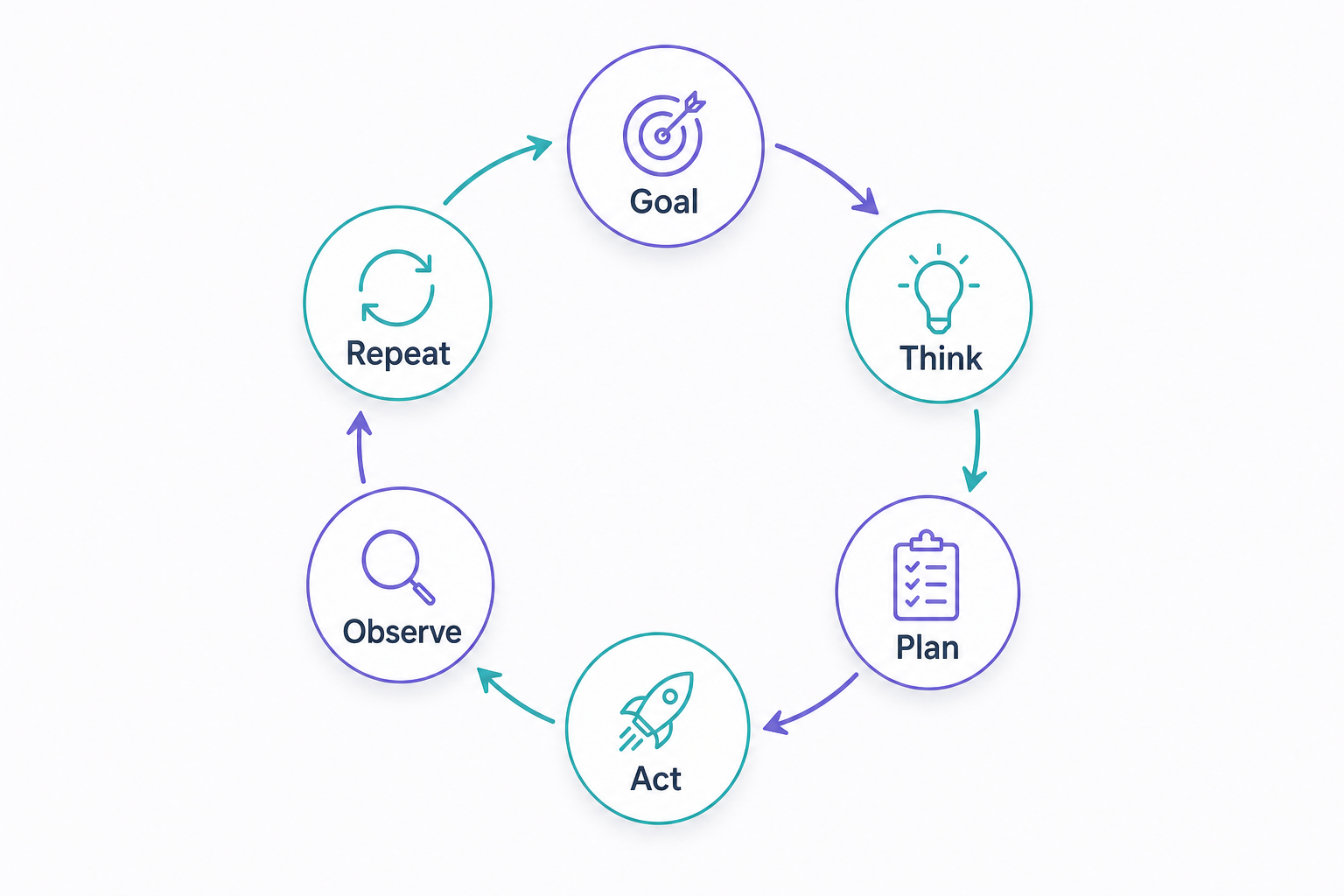
Agents should not “randomly” fire actions. A common pattern is a reasoning and acting loop:
- Understand the goal.
- Analyze what is known and what is missing.
- Plan the next small action (or ask the user).
- Use tools through your gateway.
- Observe the result (success, error, partial data).
- Repeat until done or until a max-step policy stops the run.
People describe this in different words—think → act → observe, ReAct-style loops, or “tool-use cycles.” The shared idea is the same: tight feedback, not one-shot guesses.
Example goal: “Send the weekly report to my manager.”
Plausible steps (simplified):
- Locate the report file or generate it from your data store.
- Open the email tool (draft only, or send—depending on policy).
- Attach the file, fill recipients, review if required.
- Send or queue—and log what happened.
Goal-based agents
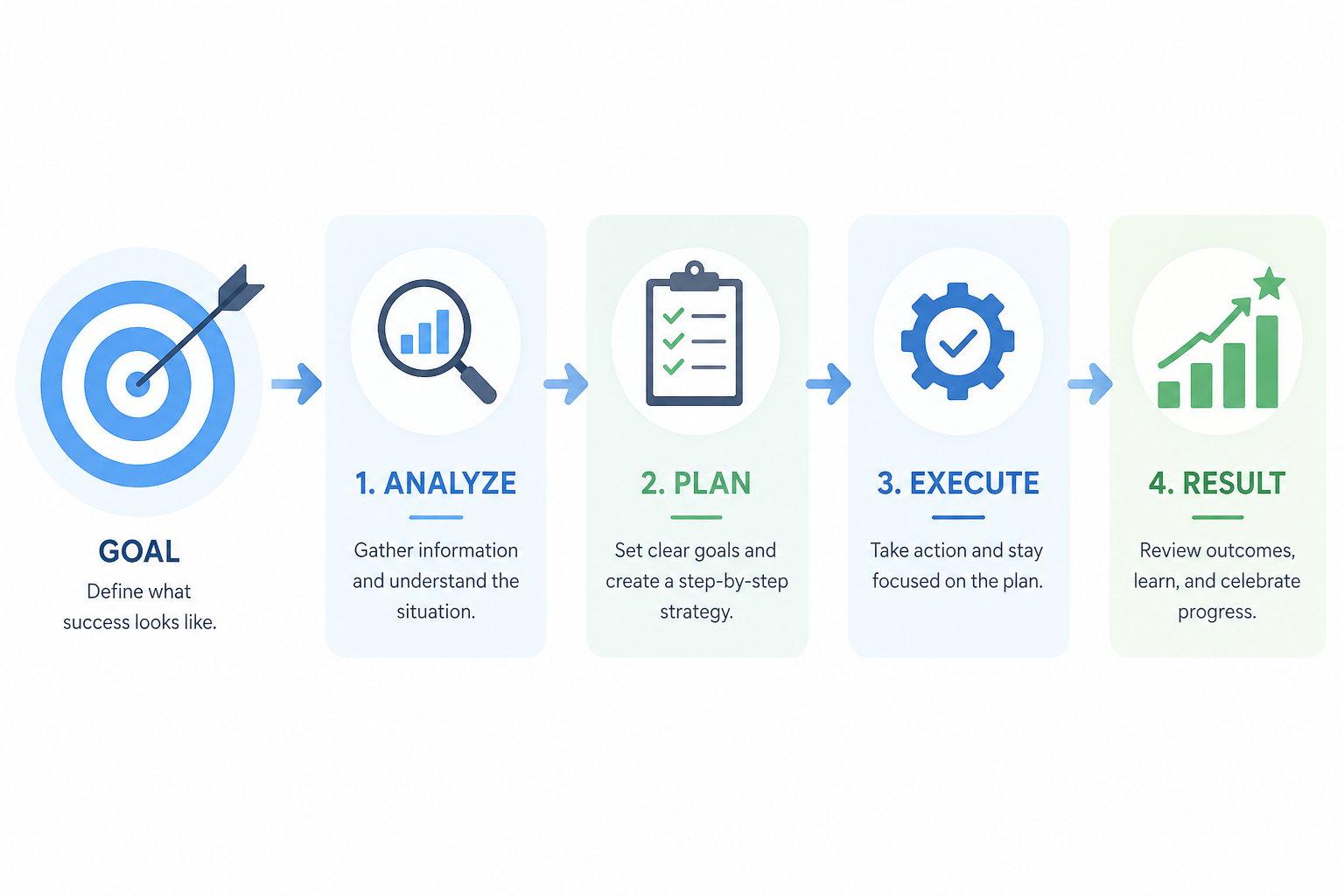
Goal-based agents are oriented toward a specific outcome, not only reacting to the last message. They keep working within limits until the goal is satisfied or blocked—never infinitely, if you configure caps correctly.
Example goal: “Increase qualified traffic to our site.”
Possible directions (all governed by your tooling):
- Analyze existing content or SEO signals you expose.
- Suggest keywords or outlines.
- Draft posts for human review.
- Schedule publishing only through integrations you allow.
The goal steers priorities; individual steps still need permissions and checks.
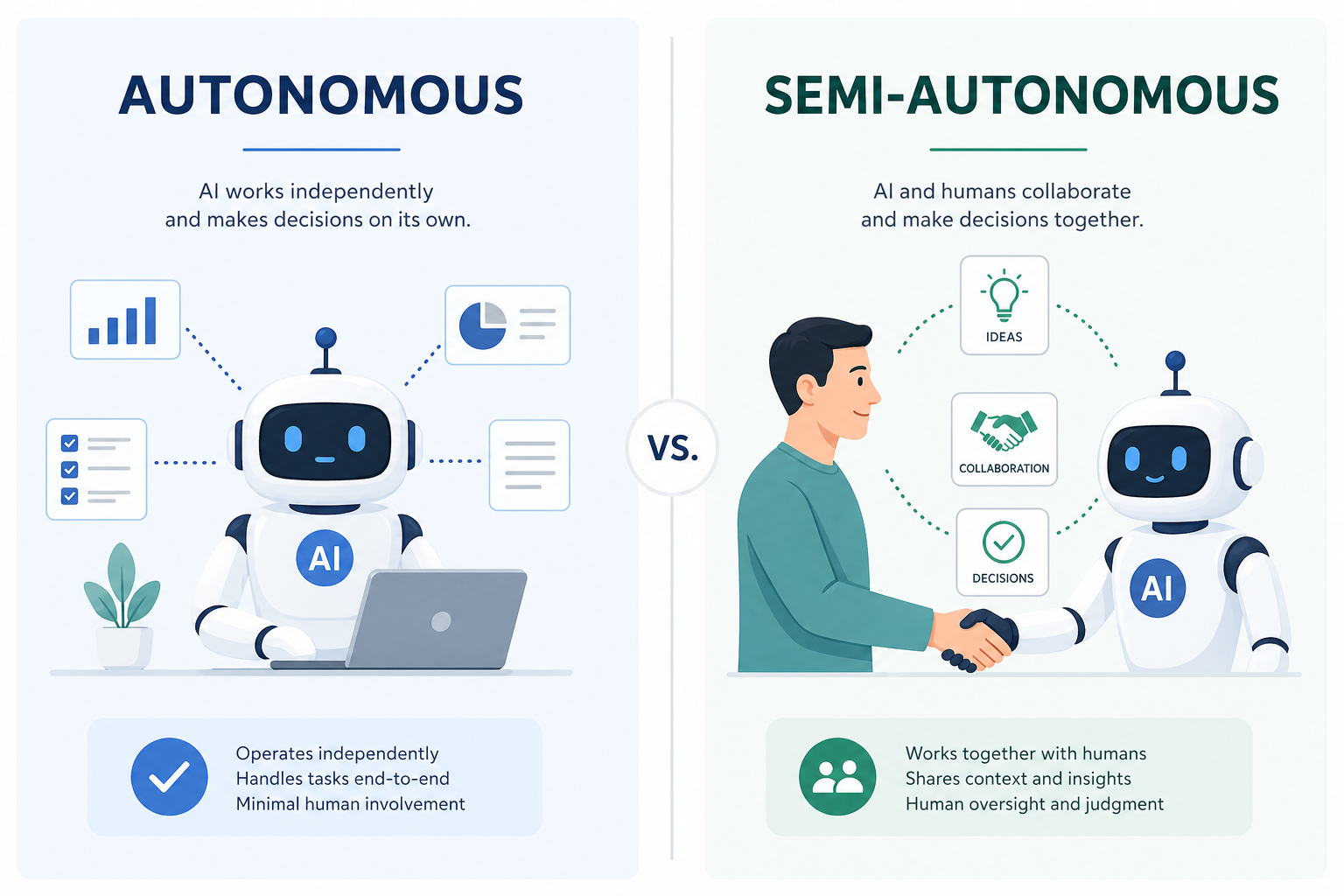
Autonomous vs semi-autonomous agents
Not every workflow should run unsupervised. Teams often choose how much independence to grant.
| Type | Who is in control? | Risk profile | Example pattern |
|---|---|---|---|
| More autonomous | Mostly automated decisions inside tight bounds | Higher if boundaries are wrong | Scheduled jobs with automated trading-style rules (heavy safeguards) |
| Semi-autonomous | AI proposes; humans approve sensitive steps | Lower for money and privacy | “Review this email—send?” “Approve payment?” |
Short mental labels:
- Autonomous (in practice: bounded) — the system runs steps alone within predefined constraints and kill switches.
- Semi-autonomous — human-in-the-loop for approvals, edits, or escalations.
Most responsible products sit between the extremes: automate the boring parts, pause before irreversible actions.
Simple Java implementation of an AI Agent
The ideas above are easier to trust after you see them as classes. This Part 2 practical section is a tiny console Java example—no Spring Boot, no external API, no database—that still mirrors how a real agent is structured. The LLM is simulated with plain String helpers so you can run everything offline.
What this is not: production-ready AI. What it is: a clear skeleton: goal in → plan → think/tool steps → answer out.
How each part maps to agentic concepts
| Concept | In this code |
| -------------------------------- | ---------------------------------------------------------------------------------------------------------- | ------------------------------------------------------------------------------------- |
| Goal | The String passed into Main / AIAgent.handleGoal (what the user wants). |
| LLM (thinking + final reply) | Simulated by simulateLlmThought and simulateFinalAnswer. Swap these later for a real model client. |
| Tools | SearchTool implements AgentTool—fake search results you can replace with HTTP or DB calls. |
| Memory | AgentMemory stores a short transcript as the run progresses. |
| Planning | Planner.plan returns ordered steps (THINK:..., TOOL:search | ...). A real system might ask an LLM for JSON; here rules stay obvious for learning. |
Folder layout (com.codepathindia.agenticai)
src/main/java/com/codepathindia/agenticai
 ├── Main.java
 ├── agent
 │   └── AIAgent.java
 ├── memory
 │   └── AgentMemory.java
 ├── planner
 │   └── Planner.java
 └── tools
     ├── AgentTool.java
     └── SearchTool.java
Compile and run from src/main/java using your IDE (Run on Main), or compile all .java files under com/ with javac and run com.codepathindia.agenticai.Main. Exact commands vary by OS; IDEs handle packages cleanly.
1. AgentTool.java
package com.codepathindia.agenticai.tools;

/**
 * A tool is anything the agent can invoke by name: search, email, database lookup, etc.
 * Here we keep one method that returns text—easy to read and test.
 */
public interface AgentTool {

    /** Stable id used inside plans, e.g. "search". */
    String name();

    /** Run with plain-text input chosen by the planner. */
    String execute(String input);
}
2. SearchTool.java
package com.codepathindia.agenticai.tools;

import java.util.Locale;

public class SearchTool implements AgentTool {

    @Override
    public String name() {
        return "search";
    }

    @Override
    public String execute(String input) {
        String q = input.toLowerCase(Locale.ROOT).trim();
        if (q.contains("laptop")) {
            return "Search results (simulated): [Budget Laptop A ₹48,000], [Budget Laptop B ₹49,500]";
        }
        if (q.contains("phone")) {
            return "Search results (simulated): [Phone X ₹30,000], [Phone Y ₹35,000]";
        }
        return "Search results (simulated): generic matches for \"" + input + "\"";
    }
}
3. AgentMemory.java
package com.codepathindia.agenticai.memory;

import java.util.ArrayList;
import java.util.Collections;
import java.util.List;

/**
 * Stand-in for conversation state / scratchpad. In production this might be PostgreSQL,
 * Redis, or structured objects—not only strings.
 */
public class AgentMemory {

    private final List<String> lines = new ArrayList<>();

    public void note(String line) {
        lines.add(line);
    }

    public List<String> snapshot() {
        return Collections.unmodifiableList(lines);
    }

    public String renderSnapshot() {
        return String.join(System.lineSeparator(), lines);
    }
}
4. Planner.java
package com.codepathindia.agenticai.planner;

import java.util.ArrayList;
import java.util.List;

/**
 * Produces a tiny plan as strings. Prefixes keep the AIAgent parser obvious:
 * THINK:... = simulated reasoning step
 * TOOL:name|input = call registered tool
 *
 * A real planner might call an LLM and parse JSON—same slots, fancier implementation.
 */
public class Planner {

    public List<String> plan(String userGoal) {
        List<String> steps = new ArrayList<>();
        String lower = userGoal.toLowerCase();

        steps.add("THINK:Understand the user's goal: \"" + userGoal + "\"");

        if (lower.contains("find") || lower.contains("search")) {
            String topic = userGoal.replaceAll("(?i)\\b(find|search)\\b", "").trim();
            if (topic.isEmpty()) {
                topic = userGoal;
            }
            steps.add("TOOL:search|" + topic);
        } else {
            steps.add("THINK:No search keyword—prepare a short direct answer.");
        }

        steps.add("THINK:Summarize results in friendly language for the user.");
        return steps;
    }
}
5. AIAgent.java
package com.codepathindia.agenticai.agent;

import com.codepathindia.agenticai.memory.AgentMemory;
import com.codepathindia.agenticai.planner.Planner;
import com.codepathindia.agenticai.tools.AgentTool;

import java.util.List;
import java.util.Map;

/**
 * Orchestrates planner + tools + memory. This class is the “agent” you would wire into
 * Spring later; here it stays plain Java so you see structure first.
 */
public class AIAgent {

    private final Planner planner;
    private final AgentMemory memory;
    private final Map<String, AgentTool> toolsByName;

    public AIAgent(Planner planner, AgentMemory memory, Map<String, AgentTool> toolsByName) {
        this.planner = planner;
        this.memory = memory;
        this.toolsByName = toolsByName;
    }

    public String handleGoal(String userGoal) {
        memory.note("GOAL: " + userGoal);

        List<String> steps = planner.plan(userGoal);
        StringBuilder trace = new StringBuilder();

        for (String step : steps) {
            if (step.startsWith("THINK:")) {
                String thought = step.substring("THINK:".length()).trim();
                String line = simulateLlmThought(thought);
                trace.append(line).append(System.lineSeparator());
                memory.note("THINK: " + thought);
            } else if (step.startsWith("TOOL:")) {
                String payload = step.substring("TOOL:".length());
                int sep = payload.indexOf('|');
                if (sep < 0) {
                    memory.note("ERROR: malformed TOOL step: " + step);
                    continue;
                }
                String toolName = payload.substring(0, sep).trim();
                String input = payload.substring(sep + 1).trim();

                AgentTool tool = toolsByName.get(toolName);
                if (tool == null) {
                    memory.note("ERROR: unknown tool: " + toolName);
                    continue;
                }

                String output = tool.execute(input);
                memory.note("TOOL " + toolName + " => " + output);

                trace.append("[Tool ").append(toolName).append("] ").append(output).append(System.lineSeparator());
            }
        }

        return simulateFinalAnswer(userGoal, trace.toString());
    }

    /** Stand-in for an LLM emitting an inner monologue line. */
    private String simulateLlmThought(String plannerHint) {
        return "(Simulated LLM) " + plannerHint;
    }

    /** Stand-in for the final model call that turns traces into a user-visible answer. */
    private String simulateFinalAnswer(String goal, String trace) {
        return "Assistant (simulated):" + System.lineSeparator()
                + System.lineSeparator()
                + "You asked: " + goal + System.lineSeparator()
                + System.lineSeparator()
                + "What happened inside the agent:" + System.lineSeparator()
                + trace + System.lineSeparator()
                + "Closing line: I combined your goal with the tool output above. "
                + "In production, this block would be produced by a real LLM using this trace as context.";
    }
}
6. Main.java
package com.codepathindia.agenticai;

import com.codepathindia.agenticai.agent.AIAgent;
import com.codepathindia.agenticai.memory.AgentMemory;
import com.codepathindia.agenticai.planner.Planner;
import com.codepathindia.agenticai.tools.AgentTool;
import com.codepathindia.agenticai.tools.SearchTool;

import java.util.HashMap;
import java.util.Map;

public class Main {

    public static void main(String[] args) {
        AgentMemory memory = new AgentMemory();
        Planner planner = new Planner();

        Map<String, AgentTool> tools = new HashMap<>();
        tools.put("search", new SearchTool());

        AIAgent agent = new AIAgent(planner, memory, tools);

        String goal = args.length > 0
                ? String.join(" ", args)
                : "Find budget laptops under 50000";

        System.out.println("=== Goal ===");
        System.out.println(goal);
        System.out.println();

        String answer = agent.handleGoal(goal);
        System.out.println("=== Output ===");
        System.out.println(answer);
        System.out.println();
        System.out.println("=== Memory snapshot ===");
        System.out.println(memory.renderSnapshot());
    }
}
Example output (approximate)
When you run Main with the default goal (or pass Find budget laptops under 50000), you should see something like:
=== Goal ===
Find budget laptops under 50000

=== Output ===
Assistant (simulated):

You asked: Find budget laptops under 50000

What happened inside the agent:
(Simulated LLM) Understand the user's goal: "Find budget laptops under 50000"
[Tool search] Search results (simulated): [Budget Laptop A ₹48,000], [Budget Laptop B ₹49,500]
(Simulated LLM) Summarize results in friendly language for the user.

Closing line: I combined your goal with the tool output above. In production, this block would be produced by a real LLM using this trace as context.

=== Memory snapshot ===
GOAL: Find budget laptops under 50000
THINK: Understand the user's goal: "Find budget laptops under 50000"
TOOL search => Search results (simulated): ...
THINK: Summarize results in friendly language for the user.
Exact wording may vary slightly; the flow—goal → think → tool → think → answer—is what you are practicing.
What happens inside (quick walkthrough)
- Main wires memory, planner, and a map of tool names (
search→SearchTool). - AIAgent.handleGoal saves the goal, asks Planner for steps.
- Each THINK line becomes a simulated LLM trace line.
- Each TOOL line looks up AgentTool by name, runs execute, appends to memory.
- simulateFinalAnswer mimics one last model call that could, in production, receive memory + trace as context.
Common beginner mistakes
- Confusing the agent with the model. The model generates language; the agent is the loop + tools + policy around it.
- Skipping the tool registry. Only tools you register (
tools.put("search", ...)) should run—same idea as production allowlists. - Empty memory. If you never record tool output, a future real LLM would lack grounded facts.
- God-class agents. Keeping Planner separate from AIAgent lets you swap planning strategies later.
- Treating this demo as production-ready. Add validation, auth, rate limits, and real observability before shipping—often via Spring Boot + PostgreSQL + AI patterns.
Final summary
AI agents combine thinking (typically an LLM), action through tools, memory, and planning—whether you are describing architecture or shipping code.
The Java example above maps those ideas to AgentTool, SearchTool, AgentMemory, Planner, and AIAgent, with Main supplying the goal. Replace the simulated LLM calls when you are ready; keep the structure.
Good engineering still wins: clear APIs, validation, observability, and storage you trust.
Series navigation