Agentic AI – Part 3: Agent Architecture
If you have read Part 1 and Part 2, you already know what agentic AI feels like from the outside: software that can work toward a goal instead of stopping after one reply. Part 3 looks inside the box.
Architecture simply means how the pieces are arranged. Think of a small restaurant: someone takes the order, someone cooks, someone checks the plate before it leaves the kitchen. Nobody calls that “magic”—it is roles and hand-offs. An AI agent works the same way in principle: we give names like planner, executor, and critic so teams can reason, act, and verify without mixing everything into one giant block of code.
Below, six ideas are explained one at a time. Take your time. Each section stands on its own.
Agentic AI Architecture
What it means in plain English
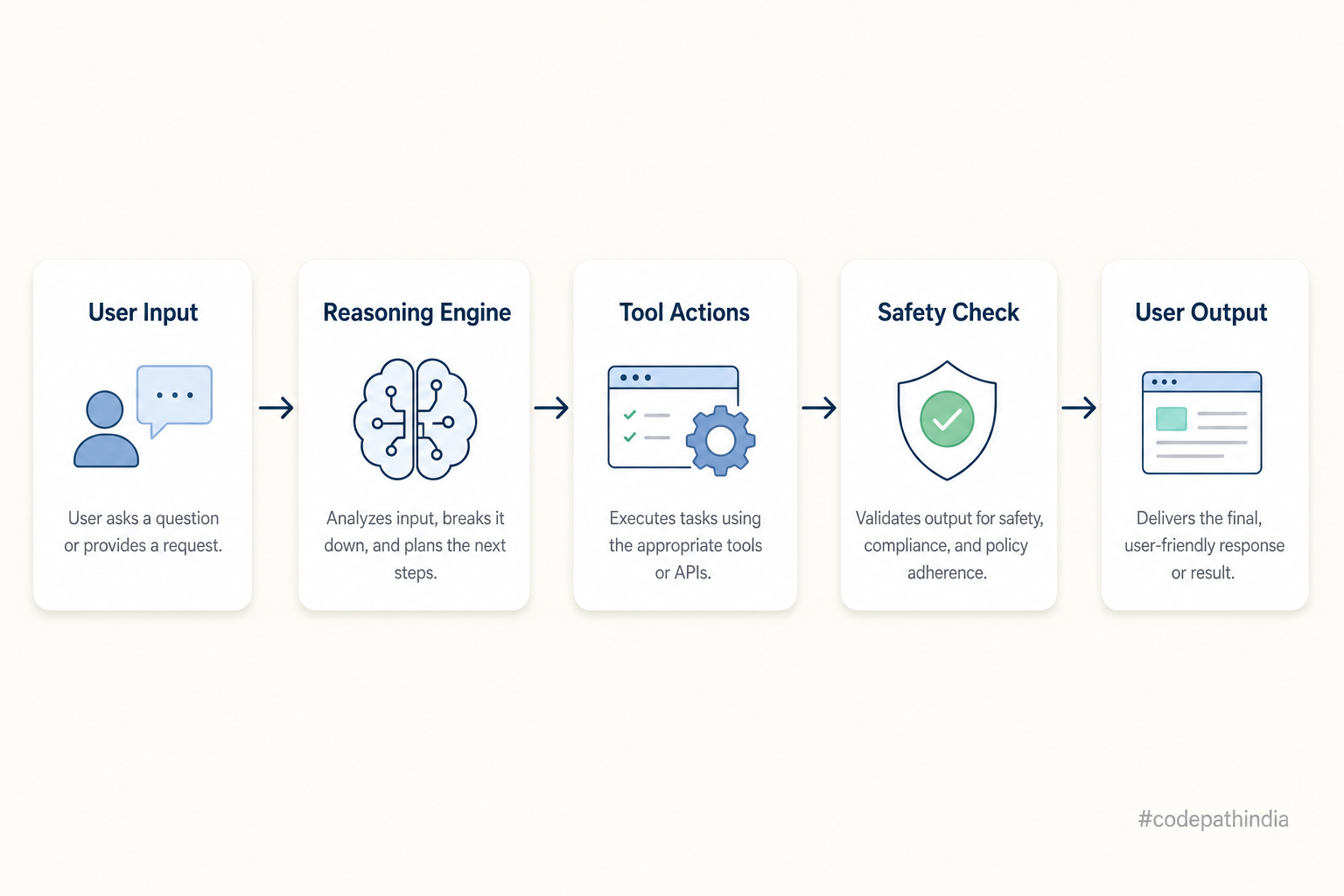
When people say agentic AI architecture, they mean a picture of how data and decisions move inside a system that uses AI to pursue goals. It is not one vendor feature. It is a design choice: where does the user’s request enter, where does “thinking” happen, where do tools run, and where does the final answer get approved?
Good architecture separates concerns. If planning, doing, and checking live in the same messy function, you cannot test them. If they live in named places, you can swap an LLM later, add a database, or tighten safety rules without rewriting everything.
Architecture also helps talk to teammates. Instead of arguing about buzzwords, you point at boxes: “Here is where we plan; here is where we call APIs; here is where we refuse bad answers.”
Real-life example
Imagine a bank’s internal support bot. The architecture might say: input is the employee’s question in chat; reasoning picks whether to search policy docs or open a ticket tool; action runs only tools the bank registered (read-only policy search vs. approved ticket creation); output is the reply—or a hold message if the critic detects missing customer consent. The architecture document might fit on one page, but it saves weeks of confusion later.
Illustration
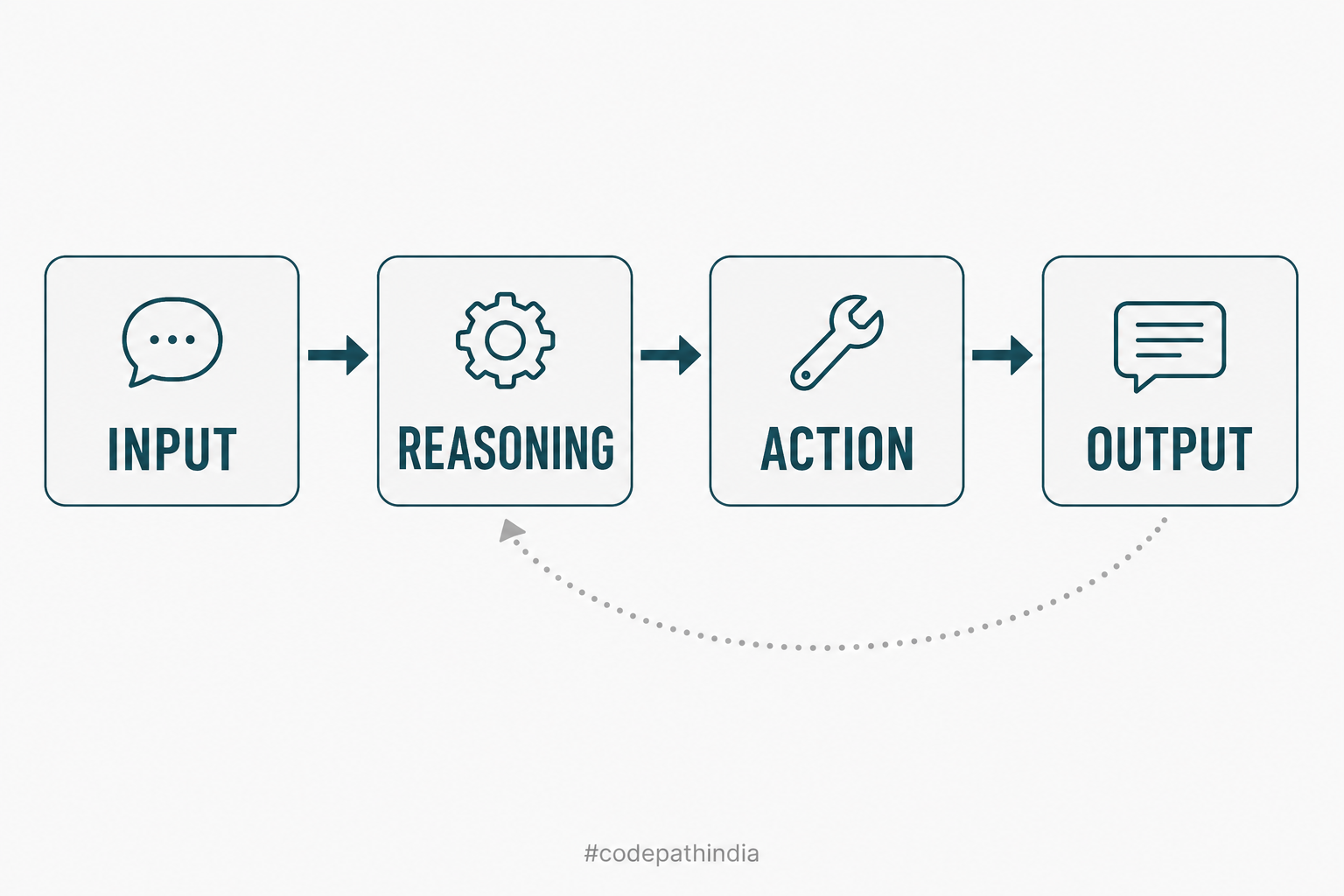
Input → Reasoning → Action → Output
What it means in plain English
Almost every agent-like product can be drawn as a straight line with four stops:
- Input — What arrived? A sentence, a button click, a webhook payload.
- Reasoning — What should we try to do? Which constraints matter? What is risky?
- Action — What tools do we actually call? Search, database read, send email—through your code.
- Output — What do we show or send back? Text, JSON, or “please confirm.”
Why four steps and not two? Because talking (output) is not the same as doing (action). A chat-only bot might skip action and still sound smart. An agent-shaped system needs a place where real tools run, and a place where results are turned into a safe reply.
You can loop this path: after action, new facts appear, so reasoning can run again. Architecture drawings often hide loops behind one arrow—mentally, remember that observe → think again is normal.
Real-life example
A user says: “Find the best laptop under ₹50,000 for coding.”
- Input: that exact sentence (maybe with typos).
- Reasoning: decide that you need catalog search, price filter, and maybe weight or RAM preferences implied by “coding.”
- Action: call your product API or search index—not a random web scrape without rules.
- Output: “Here are two strong picks under ₹50,000; here is why each fits coding workloads.” If payment were involved, output might instead be “pick one to continue to checkout,” with extra checks.
Illustration
Planner Agent
What it means in plain English
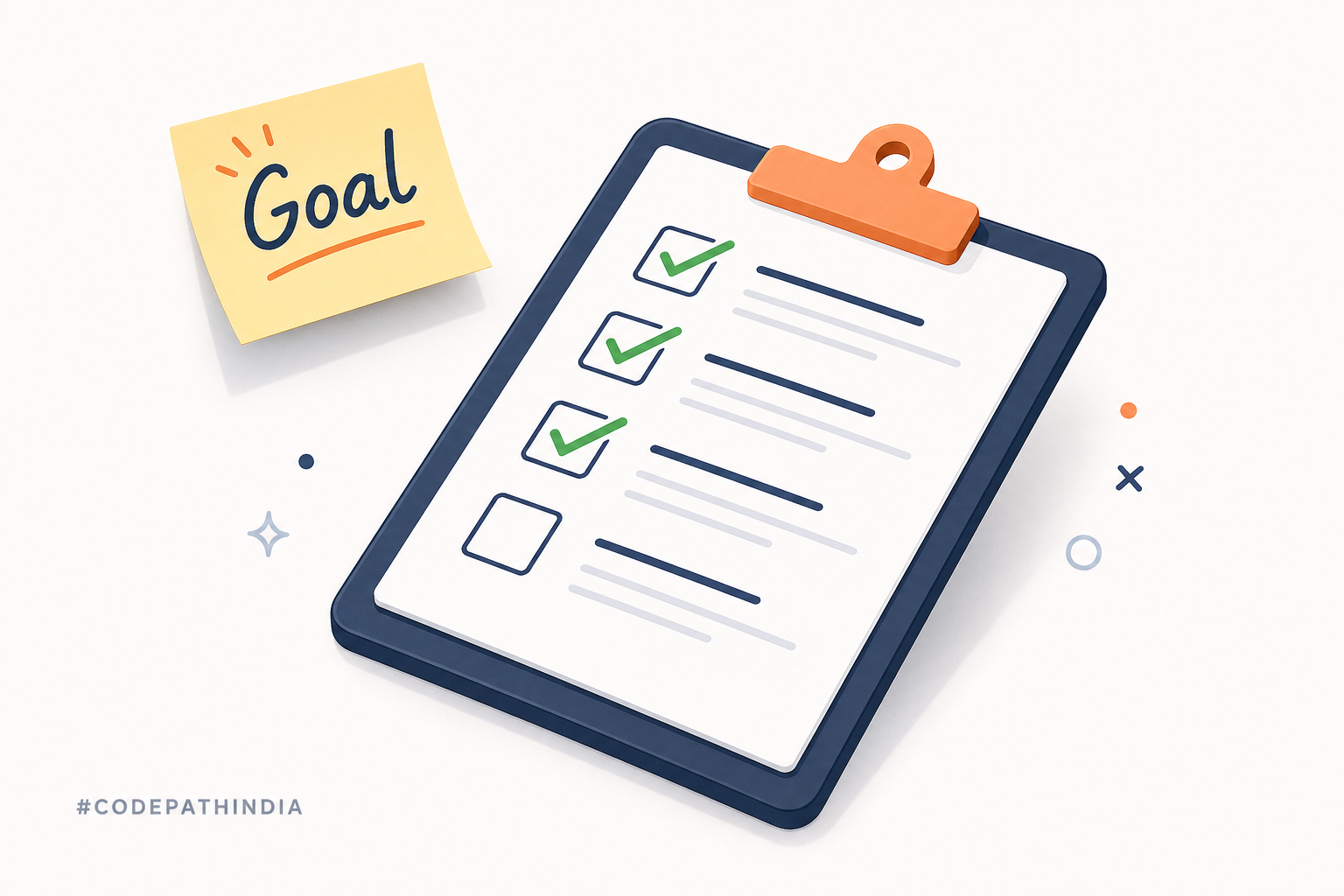
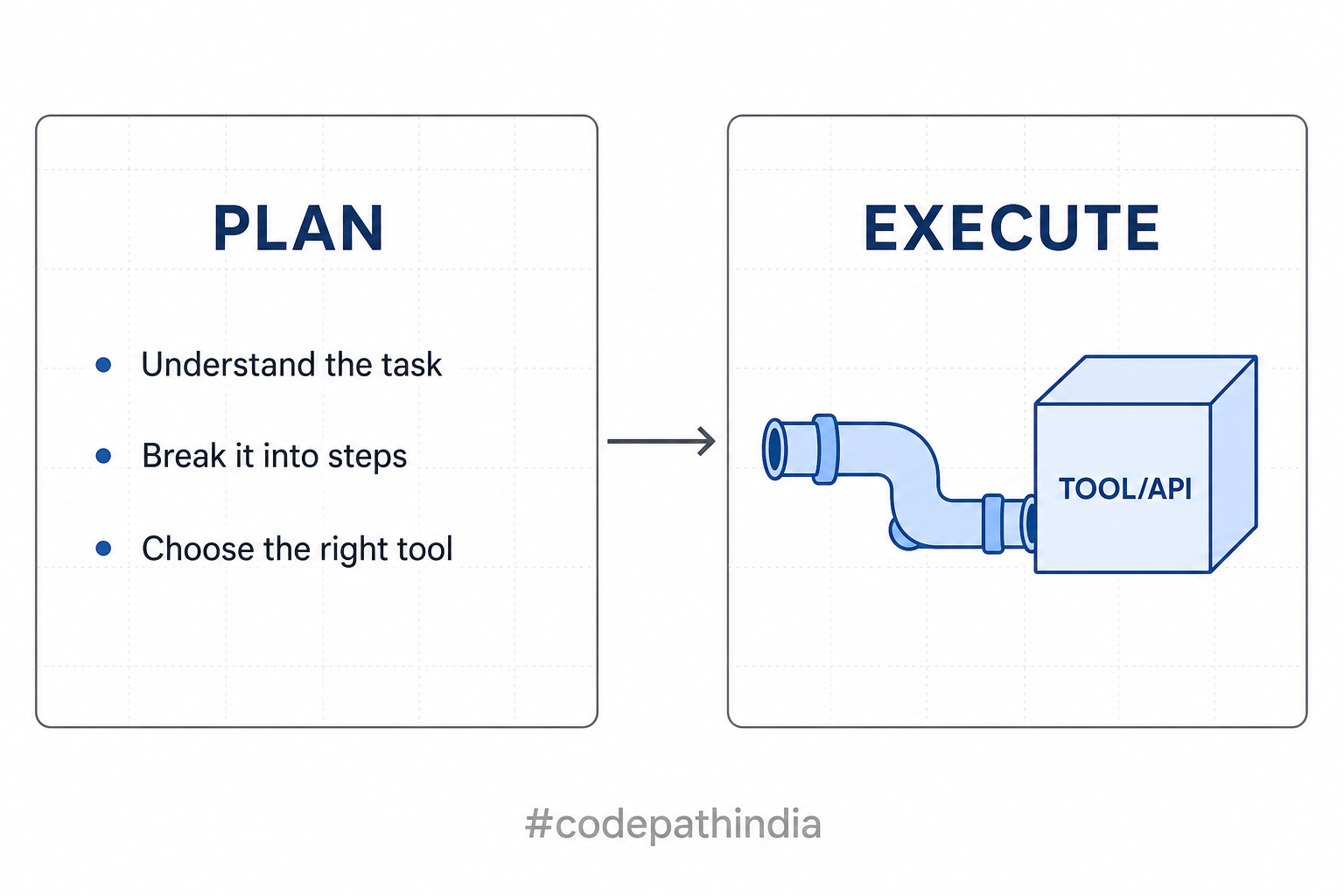
A planner agent (or the planner role) answers the question: “What steps should we take?” It does not have to run those steps itself. Its job is to turn a messy goal into an ordered plan: step one, step two, step three—something another part of the system (or a human) can follow.
In teaching code, the planner is often a small class or function. In real products, the planner might call an LLM with a schema (“return JSON steps”). Either way, the idea is the same: separate planning from doing so you can change how you plan without breaking how tools work.
Why bother naming it “planner”? Because plans fail. When they do, you want to edit planning rules or prompts—not every tool in the system.
Real-life example
Goal: “Schedule a team meeting next week when everyone is free.”
The planner might produce:
- Read each person’s calendar API (tool choices decided here).
- Find overlapping 30-minute slots.
- Draft an invite with three options.
- Wait for organizer approval before sending.
If step 2 finds no slots, the planner might revise the plan: widen the date range or reduce duration. That revision loop is still planning, not random guessing.
Illustration
Executor Agent
What it means in plain English
An executor agent (the executor role) answers: “Who actually runs the tools?” Once a plan exists—even a rough one—the executor calls search clients, database repositories, HTTP endpoints, or internal Java methods that represent allowed actions.
Executors should be boring in a good way: predictable arguments, clear errors, timeouts. If something fails, the executor reports what broke so reasoning can adapt.
Mixing executor logic into planner logic is a common beginner trap. The planner says what; the executor does how. That split mirrors real teams: architects sketch steps; engineers implement calls.
Real-life example
The plan says: “Fetch outstanding invoices for customer ID 44721.”
The executor:
- Validates the ID format.
- Calls
InvoiceRepository.findOpen(44721)(or an HTTP client to a billing service). - Returns rows or an error code.
The planner does not open JDBC connections. It might have said “get invoices,” but the executor knows which API and which credentials—never handed blindly to an LLM.
Illustration
Critic / Evaluator Agent
What it means in plain English
A critic or evaluator asks before the user sees a polished answer: “Is this good enough? Is it true? Is it safe?” It might be a rules engine, a second model pass, or a human approval step in sensitive flows.
Critics are not there to be mean. They exist because language models and tools both make mistakes. A critic can catch empty results, off-topic answers, PII leaks, or forbidden actions. Sometimes the critic sends work back to the planner or executor for another try.
Skipping the critic in prototypes feels faster. In architecture diagrams, keep the box anyway—you will need it the moment you leave the demo.
Real-life example
The executor returned a search snippet that mentions a competitor’s product prominently. The critic’s policy might say: “Do not recommend competitors by name without a disclaimer.” The critic either rewrites the draft, asks the planner for a new angle, or escalates to a human editor. None of that requires new tools—just a quality gate with clear rules.
Illustration
Multi-Agent System
What it means in plain English
A multi-agent system means more than one specialized agent working together toward a larger outcome. They might share one computer process or live on different servers. What matters is division of labor: each agent has a narrow job and a clear hand-off.
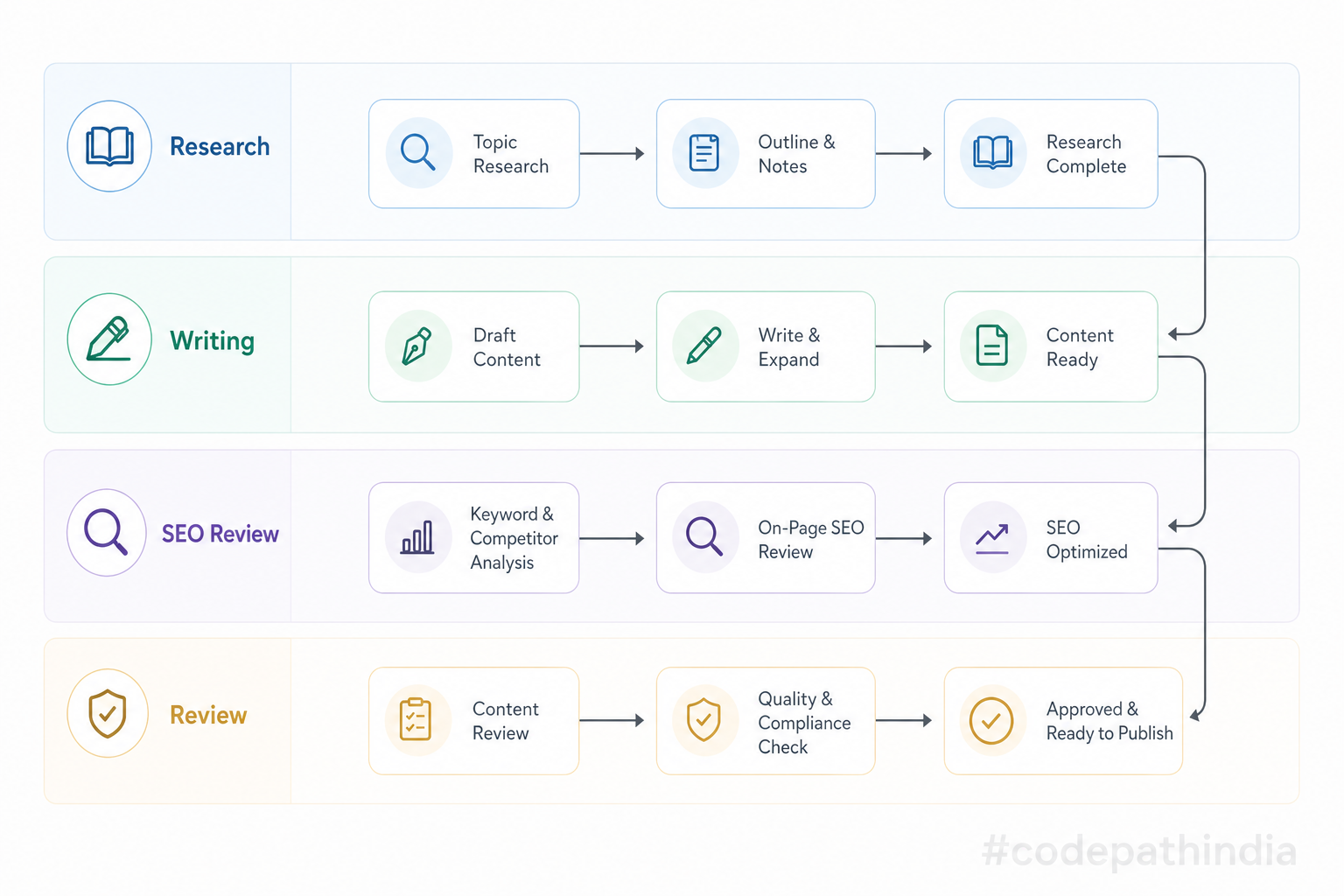
Common patterns include planner → executor → critic in sequence. Other teams split by domain: research agent, writer agent, fact-checker agent. The vocabulary changes; the idea does not: compose small brains instead of one overloaded blob.
Multi-agent designs shine when failure modes differ. Research might tolerate latency; payment must not. Splitting roles lets you apply different timeouts, permissions, and observability per stage.
Real-life example
A company builds an internal blog assistant:
- Research agent gathers approved sources from an internal wiki tool.
- Writing agent drafts a post outline and paragraphs.
- SEO agent suggests titles and keywords within brand rules.
- Review agent (often human-in-the-loop) approves before publish.
Each step could be a separate service later; today they might be Java packages in one repo. Still multi-agent by responsibility.
Illustration
Java Implementation (Simple but clear)
This section is a console-only Java sketch—no Spring Boot, no external HTTP calls, no database. It shows structure: Input → Planner → Executor → Critic → Output as plain classes you can run in an IDE.
Package root: com.codepathindia.agenticai
src/main/java/com/codepathindia/agenticai
 ├── Main.java
 ├── model
 │   └── AgentTask.java
 ├── agent
 │   ├── PlannerAgent.java
 │   ├── ExecutorAgent.java
 │   └── CriticAgent.java
 └── tool
     ├── AgentTool.java
     └── SearchTool.java
AgentTask
Holds one run’s input (user goal), the plan list, the actionResult string from tools, and finalOutput after the critic—shared state passed between agents.
package com.codepathindia.agenticai.model;

import java.util.ArrayList;
import java.util.List;

public class AgentTask {

    private final String input;
    private List<String> plan = new ArrayList<>();
    private String actionResult;
    private String finalOutput;

    public AgentTask(String input) {
        this.input = input;
    }

    public String getInput() {
        return input;
    }

    public List<String> getPlan() {
        return plan;
    }

    public void setPlan(List<String> plan) {
        this.plan = plan;
    }

    public String getActionResult() {
        return actionResult;
    }

    public void setActionResult(String actionResult) {
        this.actionResult = actionResult;
    }

    public String getFinalOutput() {
        return finalOutput;
    }

    public void setFinalOutput(String finalOutput) {
        this.finalOutput = finalOutput;
    }
}
PlannerAgent
Reads the goal and fills step-by-step plan lines (here with simple rules so you can read the logic without an LLM).
package com.codepathindia.agenticai.agent;

import com.codepathindia.agenticai.model.AgentTask;

import java.util.ArrayList;
import java.util.List;

public class PlannerAgent {

    public void createPlan(AgentTask task) {
        String goal = task.getInput();
        List<String> steps = new ArrayList<>();

        steps.add("Understand goal: \"" + goal + "\"");

        String lower = goal.toLowerCase();
        if (lower.contains("find") || lower.contains("search") || lower.contains("best")) {
            steps.add("Route: search/compare flow");
            steps.add("Execute search tool with goal text");
            steps.add("Pass candidates forward for validation");
        } else {
            steps.add("Route: direct answer without search");
            steps.add("Draft reply from rules/context only");
        }

        steps.add("Send results to critic");

        task.setPlan(steps);
    }
}
ExecutorAgent
Calls AgentTool.execute with the task’s input and stores the returned string in actionResult.
package com.codepathindia.agenticai.agent;

import com.codepathindia.agenticai.model.AgentTask;
import com.codepathindia.agenticai.tool.AgentTool;

public class ExecutorAgent {

    private final AgentTool tool;

    public ExecutorAgent(AgentTool tool) {
        this.tool = tool;
    }

    public void execute(AgentTask task) {
        String result = tool.execute(task.getInput());
        task.setActionResult(result);
    }
}
CriticAgent
If actionResult is missing or blank, fail safely; otherwise format finalOutput for display.
package com.codepathindia.agenticai.agent;

import com.codepathindia.agenticai.model.AgentTask;

public class CriticAgent {

    public void evaluate(AgentTask task) {
        if (task.getActionResult() == null || task.getActionResult().isBlank()) {
            task.setFinalOutput("Task failed. No result from tools.");
            return;
        }

        task.setFinalOutput(
                "Completed.\n"
                        + "Your goal: " + task.getInput() + "\n"
                        + "Tool result: " + task.getActionResult()
        );
    }
}
AgentTool
Interface: anything the executor runs must implement execute(String input).
package com.codepathindia.agenticai.tool;

public interface AgentTool {

    String execute(String input);
}
SearchTool
Fake search that returns predictable text so you can run offline.
package com.codepathindia.agenticai.tool;

public class SearchTool implements AgentTool {

    @Override
    public String execute(String input) {
        return "Search result found for: " + input;
    }
}
Main
Creates the task, wires planner → executor → critic, prints plan and final output.
package com.codepathindia.agenticai;

import com.codepathindia.agenticai.agent.CriticAgent;
import com.codepathindia.agenticai.agent.ExecutorAgent;
import com.codepathindia.agenticai.agent.PlannerAgent;
import com.codepathindia.agenticai.model.AgentTask;
import com.codepathindia.agenticai.tool.SearchTool;

public class Main {

    public static void main(String[] args) {
        String goal = args.length > 0
                ? String.join(" ", args)
                : "Find best Java tutorial for beginners";

        AgentTask task = new AgentTask(goal);

        PlannerAgent planner = new PlannerAgent();
        ExecutorAgent executor = new ExecutorAgent(new SearchTool());
        CriticAgent critic = new CriticAgent();

        planner.createPlan(task);
        executor.execute(task);
        critic.evaluate(task);

        System.out.println("--- Plan ---");
        task.getPlan().forEach(System.out::println);

        System.out.println("\n--- Final output ---");
        System.out.println(task.getFinalOutput());
    }
}
Example Output
Running Main with the default goal prints something like:
--- Plan ---
Understand goal: "Find best Java tutorial for beginners"
Route: search/compare flow
Execute search tool with goal text
Pass candidates forward for validation
Send results to critic

--- Final output ---
Completed.
Your goal: Find best Java tutorial for beginners
Tool result: Search result found for: Find best Java tutorial for beginners
If you run with a goal that does not contain “find,” “search,” or “best,” the plan switches to the direct-answer branch—watch how the printed steps change.
Mapping (VERY IMPORTANT)
Use this table when you read other frameworks or papers—they use different words for the same slots.
| Label | What it really is | In the Java demo above |
|---|---|---|
| Input | The user goal or raw request you start from. | new AgentTask(goal) — the string passed into AgentTask. |
| Reasoning | Deciding what to try—steps, constraints, tool choices. | PlannerAgent.createPlan fills task.getPlan(). |
| Action | Doing work through tools (APIs, DB, search). | ExecutorAgent + SearchTool.execute → actionResult. |
| Output | What the user (or caller) finally sees, after checks. | CriticAgent.evaluate writes finalOutput. |
One sentence to remember: Input enters, the planner reasons in steps, the executor acts with tools, the critic shapes output.
Spelled out plainly:
- Input = ? → The user goal (the string you start with).
- Reasoning = ? → Planning: breaking the goal into steps (
PlannerAgent+planlist). - Action = ? → Doing: running tools (
ExecutorAgent+SearchTool→actionResult). - Output = ? → Final answer after validation (
CriticAgent→finalOutput).
Common Beginner Mistakes
-
Calling everything “the AI.” The model is one piece. Architecture is how you combine planning, tools, memory, and checks—otherwise you cannot debug failures.
-
Letting the LLM own tool credentials. Tools should run only through your gateway with your auth—never raw keys inside prompts.
-
Skipping the critic in demos. Empty or wrong tool output will happen. Without a quality gate, users see confident nonsense.
-
Mixing planner and executor into one mega-class. You lose the ability to unit test planning separately from integration test tools.
-
Confusing a printed plan with executed steps. In this lesson code, the plan is descriptive lines; only
ExecutorAgentcallsAgentTool. Full frameworks often drive each step—learn the distinction early. -
Assuming multi-agent means many servers. You can start with multiple Java classes in one process—still a multi-agent design by role.
Final Summary (simple + powerful)
Agent architecture is how we name and separate the work inside an agent: input, reasoning, action, output, often split into planner, executor, and critic so thinking, doing, and checking stay honest.
You do not need a cloud dashboard to learn this. A short plain Java sample—goal in, plan lines, tool string, final string out—is enough to see the pattern. Carry that mental picture into Spring, databases, and real LLMs later; the boxes stay the same even when the implementation grows.
Series navigation