Important components in agentic AI
Agentic AI is not one model doing magic behind a curtain. It is usually a mix of parts that cooperate: something that reasons in language, something that acts in the real world (APIs, databases), something that remembers, and often something that searches knowledge before answering.
If you have followed Part 1, Part 2, and Part 3, you already know roles like planner and executor. This chapter zooms into components people name in almost every serious design: LLM, tools, memory, vector stores, and RAG.
Think of it like a small team: brain (language), hands (tools), notebook (memory), library index (vectors), and research habit (retrieve, then answer).
1. LLM in agentic AI
What is an LLM?
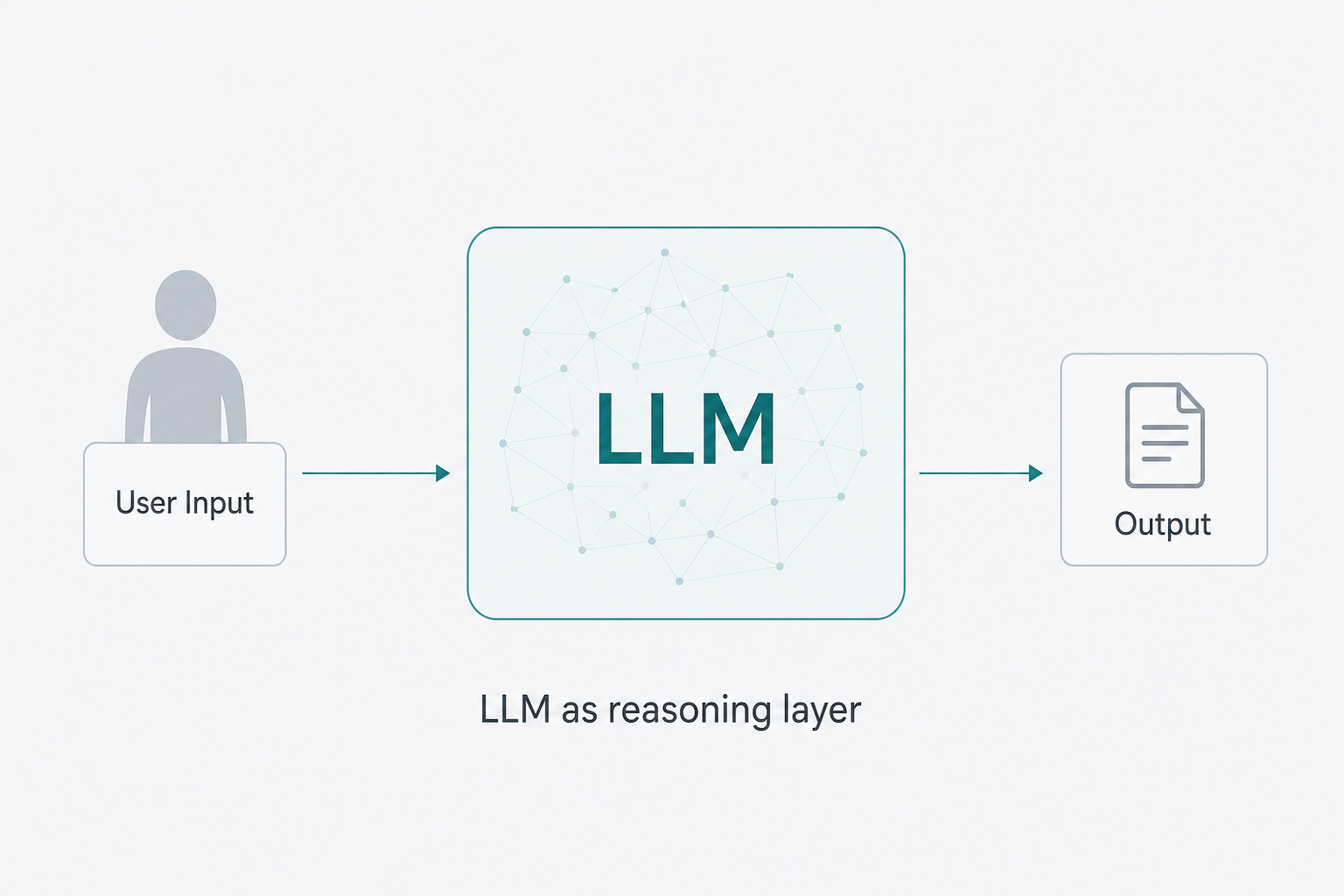
An LLM (large language model) is a model trained to work with human language—to interpret messy instructions, draft steps, summarize text, or emit structured JSON for tool calls. In agent diagrams it is often drawn as the “brain”: not because it is conscious, but because it is where open-ended reasoning usually happens.
Well-known examples include ChatGPT-class models, Claude, Gemini, and many open models you can host yourself. Your product rarely “is” the LLM alone; the LLM sits inside your orchestration, policies, and logging.
What it does in an agent stack
Typical jobs:
- Understand user input (intent, constraints, urgency).
- Propose next actions or tool calls (when wired that way).
- Turn raw tool output into a reply the user can read.
It does not automatically know your private database unless you retrieve that information or pass it in context—another reason agents combine LLMs with memory, tools, and RAG.
Simple scenario
User: “Book a doctor appointment for next Tuesday afternoon.”
The LLM helps interpret Tuesday afternoon, map it to calendar constraints, and suggest a plan (find slots → confirm policy → call booking tool). The actual booking still runs through your systems and rules.
Java sketch — calling a chat-completions API
The snippet below uses Java HTTP Client (Java 11+) and is only for learning. Never hard-code API keys; load them from environment variables or a secrets manager. Replace the URL and JSON with your provider’s docs.
import java.net.URI;
import java.net.http.HttpClient;
import java.net.http.HttpRequest;
import java.net.http.HttpResponse;

public class LLMExample {

    public static void main(String[] args) throws Exception {
        String apiKey = System.getenv("OPENAI_API_KEY"); // never commit real keys
        if (apiKey == null || apiKey.isBlank()) {
            System.err.println("Set OPENAI_API_KEY for this demo.");
            return;
        }

        HttpClient client = HttpClient.newHttpClient();

        String requestBody = """
                {
                  "model": "gpt-4o-mini",
                  "messages": [{"role": "user", "content": "Explain agentic AI in one sentence."}]
                }
                """;

        HttpRequest request = HttpRequest.newBuilder()
                .uri(URI.create("https://api.openai.com/v1/chat/completions"))
                .header("Authorization", "Bearer " + apiKey)
                .header("Content-Type", "application/json")
                .POST(HttpRequest.BodyPublishers.ofString(requestBody))
                .build();

        HttpResponse<String> response =
                client.send(request, HttpResponse.BodyHandlers.ofString());

        System.out.println(response.body());
    }
}
Illustration
2. Tools in AI agents
What are tools?
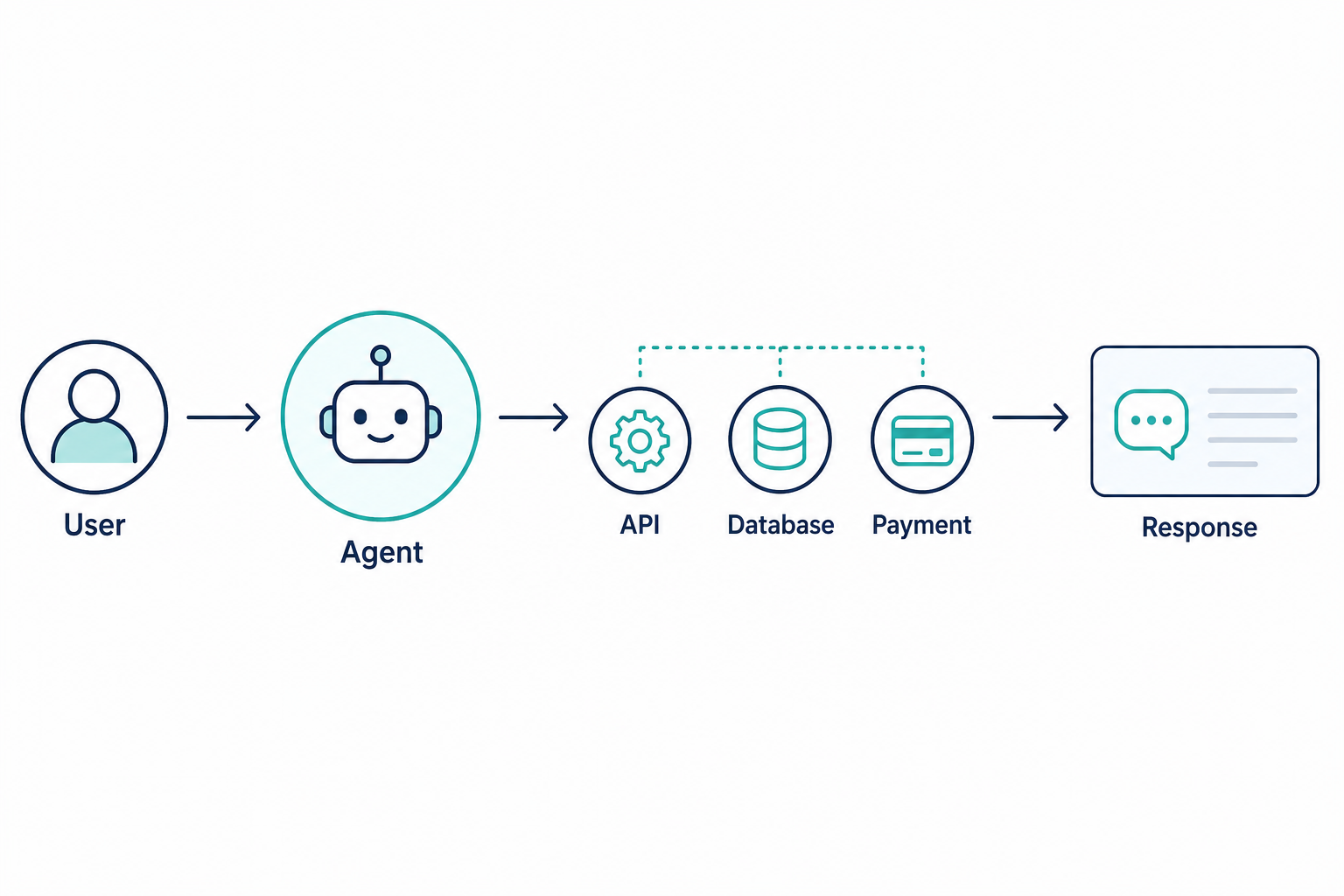
Tools are capabilities your agent is allowed to invoke: HTTP APIs, database queries, internal Java methods, payment gateways, ticketing systems, or a weather client. The LLM might propose a tool call, but your code should validate, authenticate, and execute it.
Without tools, the system can only chat. With tools, it can change state in the world—so tools deserve the same seriousness as any production integration.
Example
User: “What’s the weather in Delhi today?”
The agent should not invent numbers. A weather tool calls a trusted API; the answer combines structured facts with natural language.
Java sketch — HTTP GET to a weather-style endpoint
Replace with your provider’s URL and secure API handling (timeouts, errors, no keys in source control).
import java.net.URI;
import java.net.http.HttpClient;
import java.net.http.HttpRequest;
import java.net.http.HttpResponse;

public class WeatherTool {

    public static void main(String[] args) throws Exception {
        String apiKey = System.getenv("WEATHER_API_KEY");
        if (apiKey == null || apiKey.isBlank()) {
            System.err.println("Set WEATHER_API_KEY for this demo.");
            return;
        }

        HttpClient client = HttpClient.newHttpClient();

        HttpRequest request = HttpRequest.newBuilder()
                .uri(URI.create(
                        "https://api.weatherapi.com/v1/current.json?key="
                                + apiKey
                                + "&q=Delhi"))
                .GET()
                .build();

        HttpResponse<String> response =
                client.send(request, HttpResponse.BodyHandlers.ofString());

        System.out.println(response.body());
    }
}
Illustration
3. Memory in AI agents
What is memory?
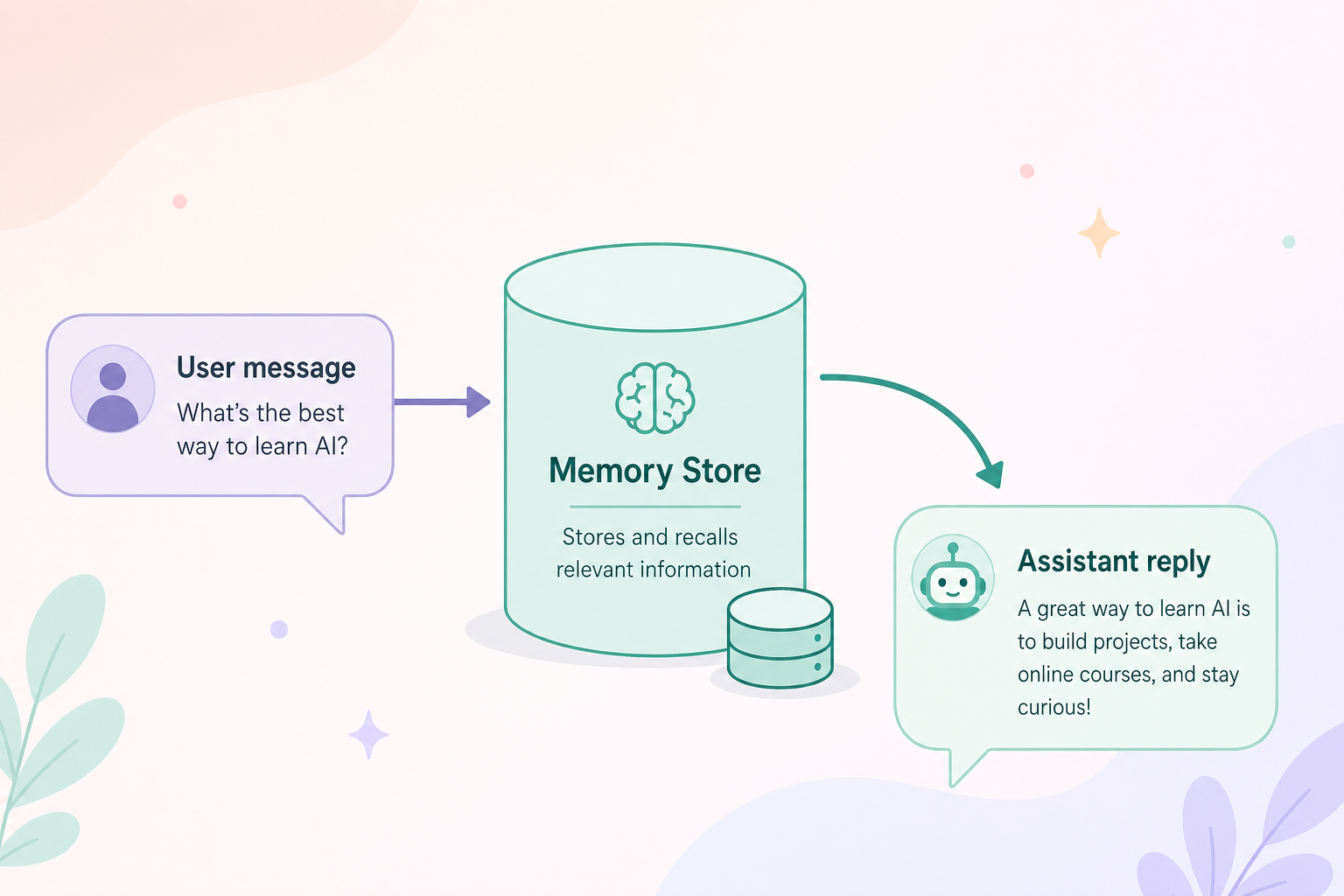
Memory is state you persist so the next step—or the next session—does not start from zero. That can be conversation turns, user preferences, task progress, or rows in PostgreSQL.
Without memory, every request feels stateless: fine for trivia, painful for “continue where we left off.”
Example
User: “My name is Sushil.”
Later: “What is my name?”
If memory stores (user_id → name), the agent can answer Sushil instead of guessing.
Java sketch — simple in-memory map
Production systems use databases and TTL policies; a HashMap is enough to visualize the idea.
import java.util.HashMap;
import java.util.Map;

public class MemoryExample {

    private static final Map<String, String> SESSION_MEMORY = new HashMap<>();

    public static void main(String[] args) {
        SESSION_MEMORY.put("user_42.name", "Sushil");

        System.out.println("Stored name: " + SESSION_MEMORY.get("user_42.name"));
    }
}
Illustration
4. Short-term vs long-term memory
Short-term memory
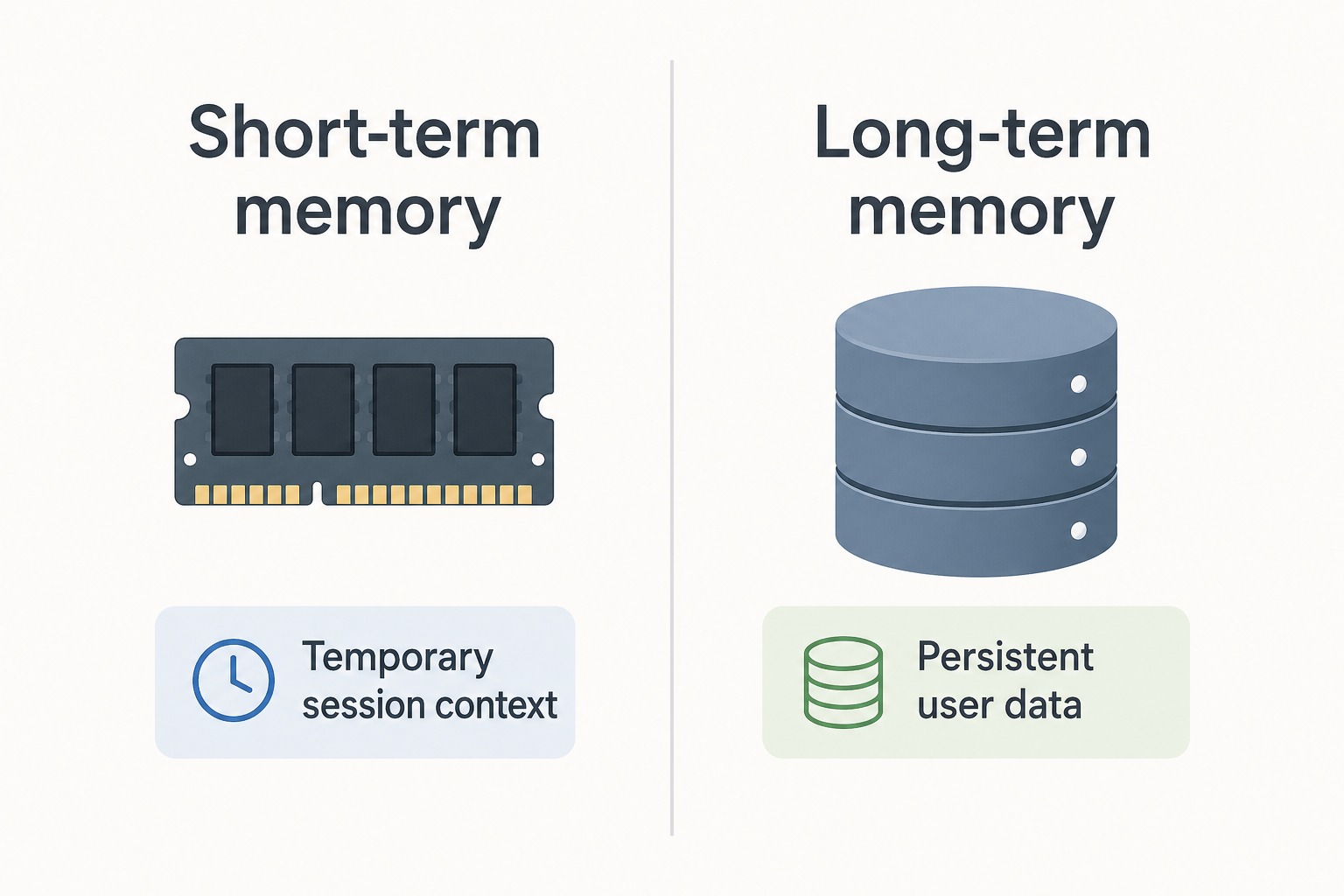
Short-term usually means this conversation or this task: recent messages, scratch tokens, tool traces kept only while the session is active. It is cheap to update and safe to drop when the chat ends—unless you promote facts elsewhere.
Example: last ten turns of chat stored in Redis or in-memory for context window filling.
Long-term memory
Long-term survives across sessions: profiles, preferences, purchase history, saved documents. It usually lives in databases or object storage, with permissions and encryption.
Example: “Preferred language: Hindi” stored on the user row and loaded when a new session starts.
Java sketch — two buckets of meaning
public class MemoryTypes {

    /** Represents transient chat context (often rebuilt each session). */
    String shortTerm = "Current conversation snippet";

    /** Represents durable preferences or facts you persist intentionally. */
    static String longTerm = "Stored in database / profile service";

    public static void main(String[] args) {
        System.out.println("Long-term hook: " + longTerm);
    }
}
Illustration
5. Vector database in agentic AI
What is a vector database?
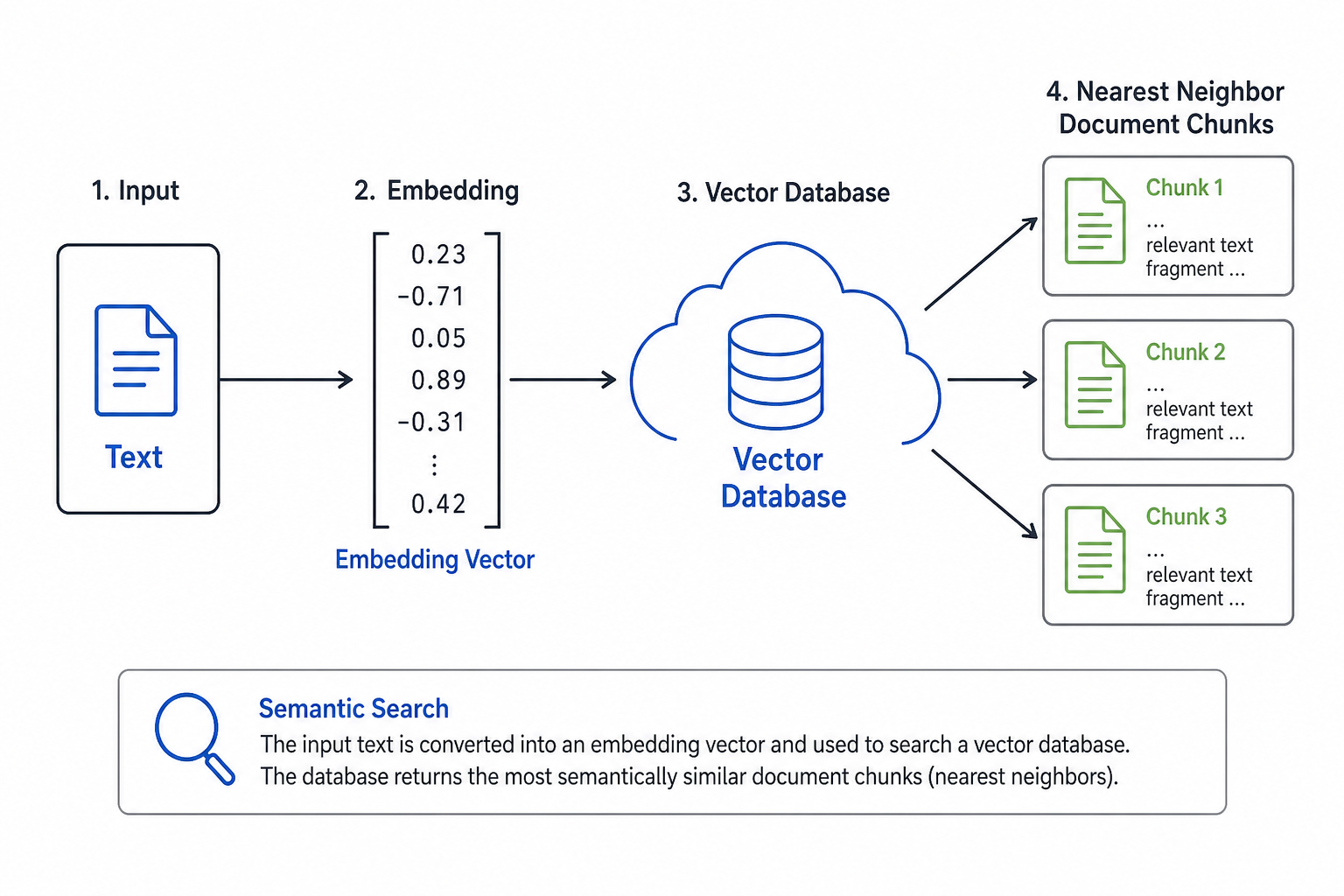
Text and documents can be turned into vectors—arrays of numbers—that capture meaning for search. A vector database (or vector-capable index) stores those vectors so you can ask: “Which chunks are closest to this query vector?” That enables semantic search, not only keyword match.
Popular ecosystems include Pinecone, Weaviate, Milvus, pgvector inside PostgreSQL, and libraries like FAISS for local indexes. Names change; the pattern stays: embed → store → similarity query.
Why teams use it
- Fast similarity search over millions of chunks.
- Better recall when users do not type exact keywords.
Java concept — a vector is just numbers
public class VectorExample {

    public static void main(String[] args) {
        double[] embedding = {0.12, 0.98, 0.45}; // illustrative only

        System.out.println("Example embedding length: " + embedding.length);
        System.out.println("(Real embeddings have hundreds or thousands of dimensions.)");
    }
}
In practice you call an embedding model or service to produce vectors; you rarely hand-type them.
Illustration
6. Retrieval-Augmented Generation (RAG)
What is RAG?
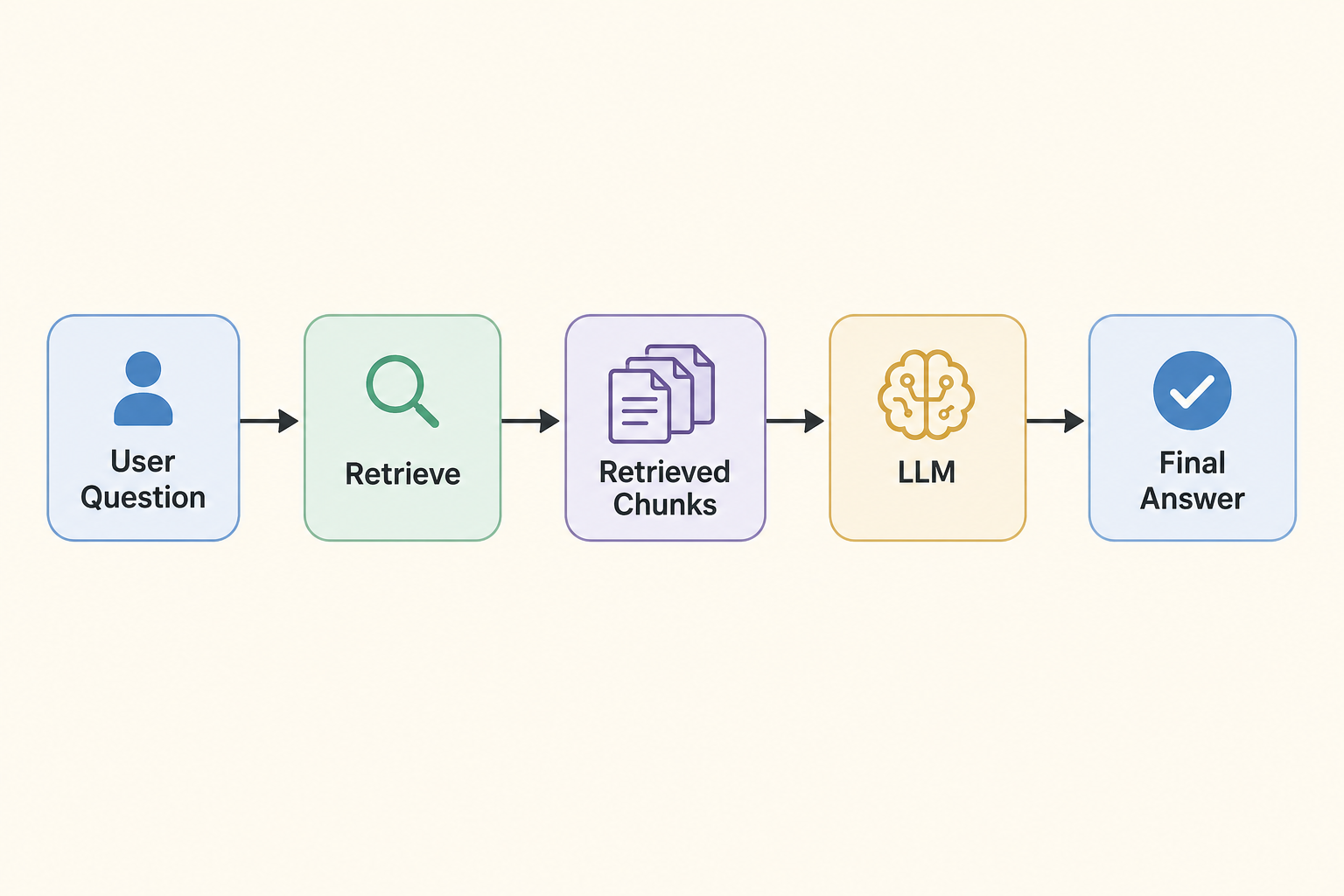
RAG means: retrieve grounding material first, then generate an answer with the LLM using that material. Instead of hoping the model memorized your handbook, you fetch the right sections from storage (often via vector search) and pass them into the prompt.
Rough flow:
User question → Retrieve relevant chunks → Pass chunks + question to LLM → AnswerExample
User: “What is our remote-work policy?”
The agent queries your approved policy corpus (vectors + metadata), pulls the relevant paragraphs, and only then asks the LLM to summarize them—reducing hallucinations when retrieval is correct.
Java sketch — retrieve then generate (simulated)
public class RAGExample {

    static String retrieveData(String query) {
        // Stand-in for: vector search + DB fetch
        return "Company policy: Remote work requires manager approval for …";
    }

    static String generateResponse(String userQuestion, String retrieved) {
        // Stand-in for: LLM call that uses retrieved text as context
        return "Answer grounded in policy: " + retrieved;
    }

    public static void main(String[] args) {
        String q = "What is our remote work policy?";
        String data = retrieveData(q);
        String response = generateResponse(q, data);

        System.out.println(response);
    }
}
Illustration
Wire retrieveData to your vector index and generateResponse to your LLM client when you move beyond the sketch.
Final summary
Agentic AI works best when you treat it as a bundle of components:
| Piece | Role |
|---|---|
| LLM | Language and reasoning—plans, explanations, structured outputs. |
| Tools | Real actions through APIs and systems you control. |
| Memory | Short-term context and long-term facts—what to remember and why. |
| Vector DB / embeddings | Semantic search over text you own. |
| RAG | Retrieve first, generate second, for accuracy on private knowledge. |
Together they support systems that feel smarter and more autonomous—while still needing solid engineering: validation, auth, observability, and storage patterns you will recognize from Spring Boot + PostgreSQL + AI work.
Series navigation